STAR Method Procreate Brush Set
$19
The Star Method™ | Digital Art Tools
Five Brushes. Five Movements. Limitless Possibilities.
Different Mediums. Same Movements.
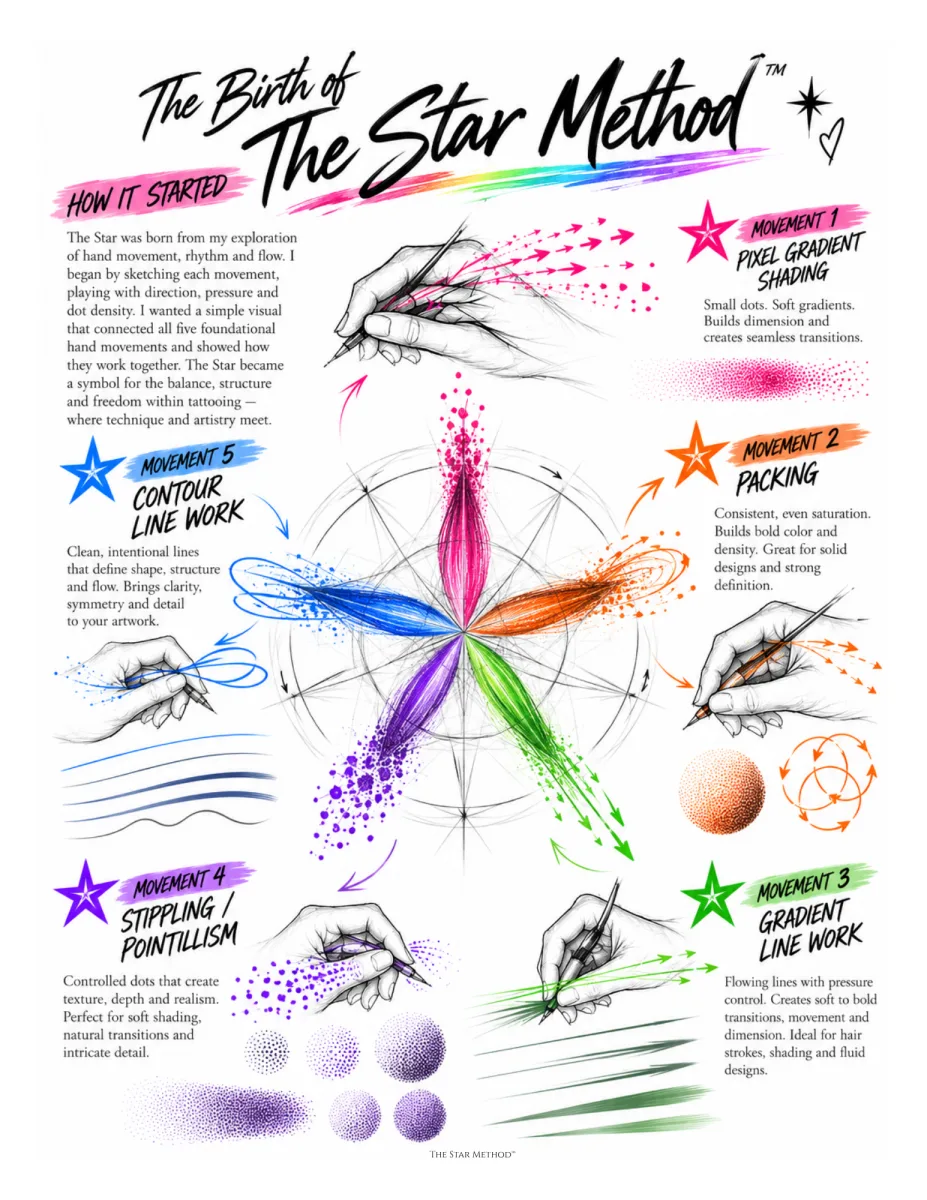
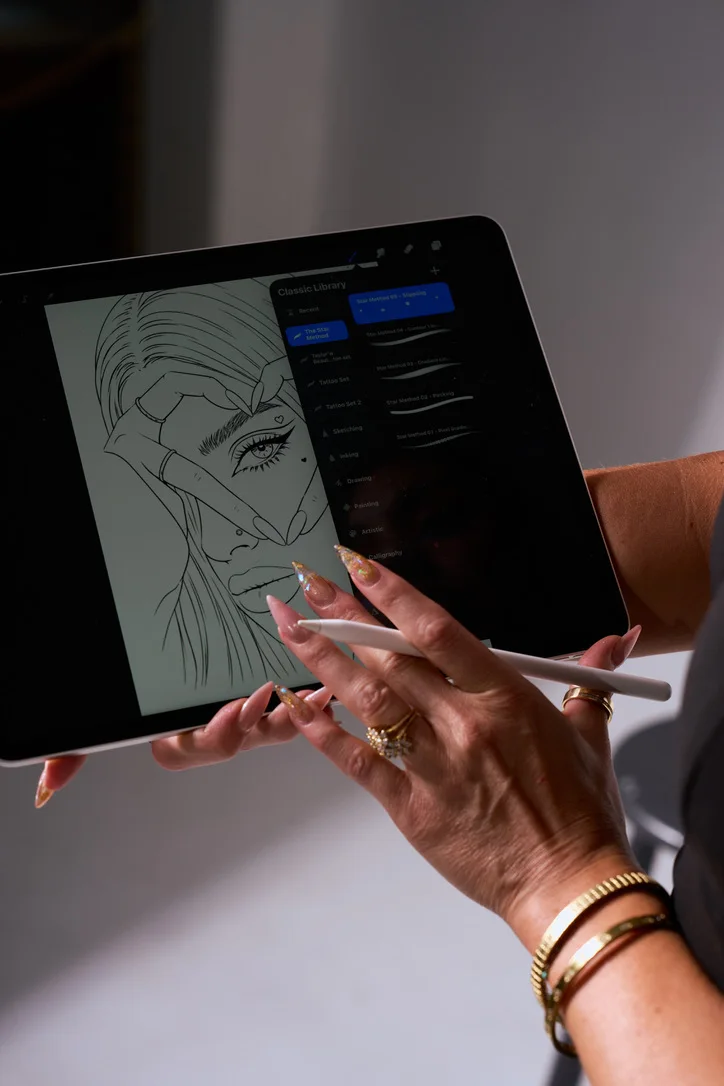
These are the five Procreate brushes Taylor uses to teach The Star Method, one for each of the five foundational hand movements. From pixel shading to precision line work, each brush is built to help you practice the movements that carry across every medium, from screen to skin.
Master the movement. Master the art.
After checkout you set a password, and the download is waiting in your library. How to install
What’s included
- SM 01 Pixel Gradient Shading brush
- SM 02 Packing brush
- SM 03 Gradient Line Work brush
- SM 04 Stippling / Pointillism brush
- SM 05 Contour Line Work brush
- STAR Method swatch palette, 20 colours (.swatches)
- Brush Testing Template, 8 pages, letter size (PDF)
- Read me first install guide (PDF) and changelog
Details
Everything you need to start creating.
Five Movements. One Creative Toolkit.
These brushes simplify the creative process. You don't need to understand needle groupings, gauges, or configurations to start designing. Just open Procreate and create. Use them for developing tattoo designs, creating visual stencil guides, and practicing technique. They help bridge the gap between imagination and execution.
Format
- One zip with five files: the .brushset, the .swatches palette, the Brush Testing Template PDF, the Read me first install guide PDF, and a changelog.
- Procreate 5.x on iPad. The brushes are pressure-sensitive and set up for the Apple Pencil.
- Not for Procreate Pocket, Photoshop, or desktop apps.
- Delivered as a download link after checkout. Updates are free.
Who it’s for
Who it's for
Made for the Curious. Built for the Creative.
- Aspiring Artists & Beginners. Start with the foundations, no experience required.
- Tattoo & PMU Artists. Sharpen the movements behind every service you offer.
- Students & Educators. A shared language for teaching and learning technique.
- Digital Artists & Creatives. Bring the five movements into your digital work.
Different Mediums. Same Movements. Limitless Possibilities.
FAQ
- Do I need the workbook to use the brushes?
- No. The brushes work on their own, and the included testing template gives you structured practice. The workbook goes deeper on why each movement matters.
- Which iPad and Procreate version do I need?
- Any iPad that runs Procreate 5.0 or later. The brushes use pressure, so an Apple Pencil gives the intended feel. They will not import into Procreate Pocket on iPhone.
- How do I install a .brushset?
- Save the zip to your iPad and tap it in Files to unpack it, then tap the .brushset inside. Procreate imports the set automatically. Full steps are in the install guide.
- Can I share the brushes with my students?
- The set is licensed per artist. Trainers who want to license a set for a class can email the academy.
- What if I have a problem with the download?
- Reply to your order email and the academy will send a fresh link.
One per movement
The five brushes.
- SM 01Pixel Gradient ShadingSmall gradients. Builds dimension and creates seamless transitions.
- SM 02PackingEven saturation. Builds bold color and density.
- SM 03Gradient Line WorkFlowing lines. Pressure control from soft to bold.
- SM 04Stippling / PointillismControlled dots. Creates texture, depth, and realism.
- SM 05Contour Line WorkClean lines. Defines shape, structure, and flow.
The swatch palette, as it appears in Procreate. Black at each end, then pinks, oranges, two blues, violets, greens, and two more blues.
Keep going